windows app
Convert XLS to XLSX
Convert XLS spreadsheets to XLSX spreadsheets locally on Windows. No upload, no signup, no watermark.
features
what the app does
- Paste from clipboard — Ctrl+V joins the queue (e.g. a Win+Shift+S screenshot lands without saving to disk).
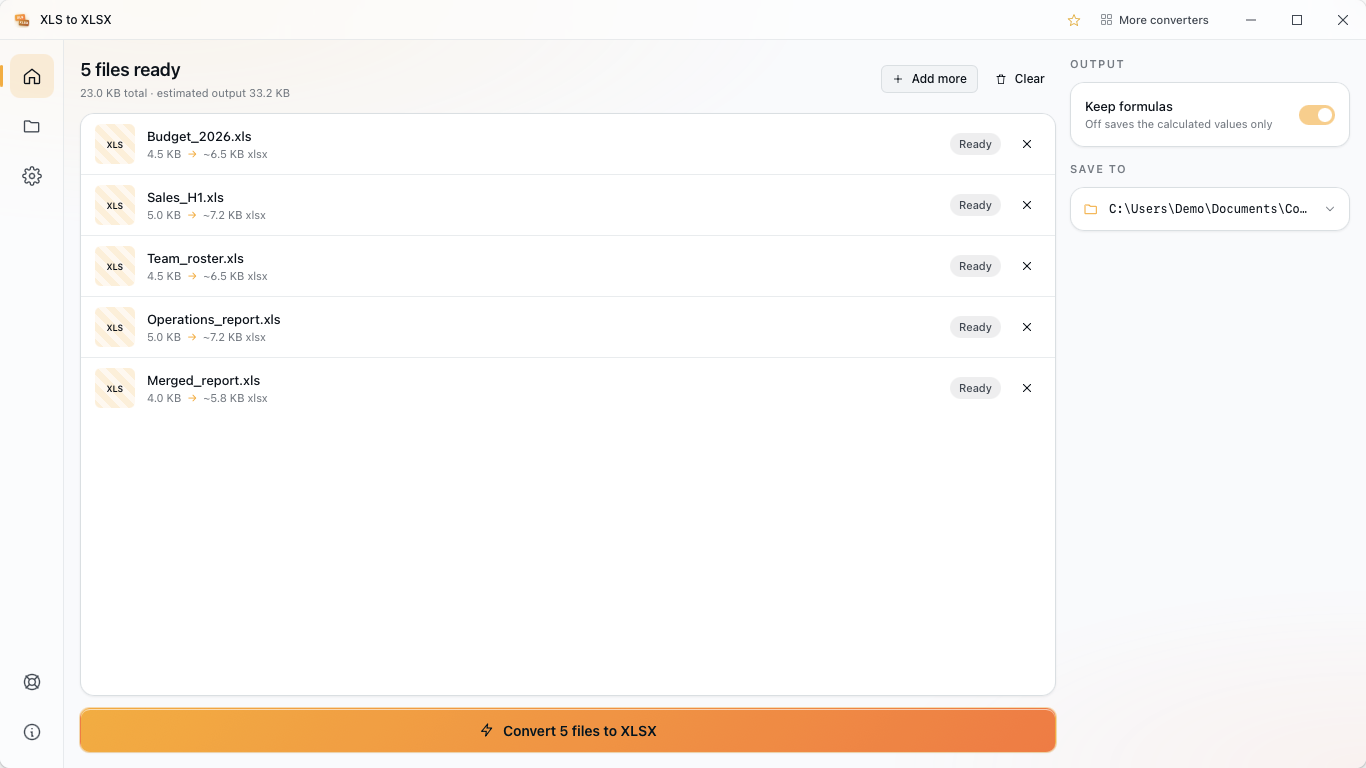
- Batch convert whole folders, sub-folder structure preserved.
- Auto-convert watcher — point the app at a watched folder; converted files appear in your output folder.
- Right-click .xls files in File Explorer — "Convert to XLSX" opens the app pre-loaded with your selection.
- Ten UI languages, light + dark themes following the system.
- Offline by design — no telemetry, no account, no user-data exfiltration.
details
XLS to XLSX on your pc
XLS to XLSX Converter helps you convert xls to xlsx on Windows with a simple local workflow.
how it works
This xls to xlsx converter uses SheetJS to read your spreadsheets and create XLSX spreadsheets on your PC. Conversion runs locally on your Windows machine, so your files stay on the device.
paste from clipboard
Press Ctrl+V to add a spreadsheet from the clipboard straight into the queue. Copy an Excel spreadsheet, then paste it here and start the conversion without saving it first.
batch conversion
Convert whole folders of spreadsheets in one run. Subfolders are kept in the output, so a folder with 200 spreadsheets in 10 subfolders comes out with the same structure.
auto-convert watcher
Use the Auto-convert page to set a watched folder and an output folder. The app stays in the Windows system tray and keeps converting new spreadsheets in the background. Drop a fresh export in the watched folder and the converted copy appears in the output folder.
right-click in explorer
A native shell extension adds Convert to XLSX to the right-click menu for .xls spreadsheets in File Explorer. The app opens with your selection already loaded, so you can start faster.
languages & themes
The UI is available in ten languages. Light and dark themes follow your Windows system theme automatically.
offline by design
No telemetry, no account, and no upload. Your spreadsheets never leave the device.
free & pro
The free version lets you convert XLS to XLSX with no file size or file count limits. Upgrade to Pro with a one-time lifetime purchase to remove ads and unlock batch conversion. No subscriptions or recurring payments.
related
more spreadsheet converters
xlsx to csv
csv to xlsx
csv to json
json to csv
xlsx to json
json to xlsx
ods to xlsx
tsv to csv