windows app
Convert GIF to MP4
Convert GIF images to MP4 videos locally on Windows. No upload, no signup, no watermark.
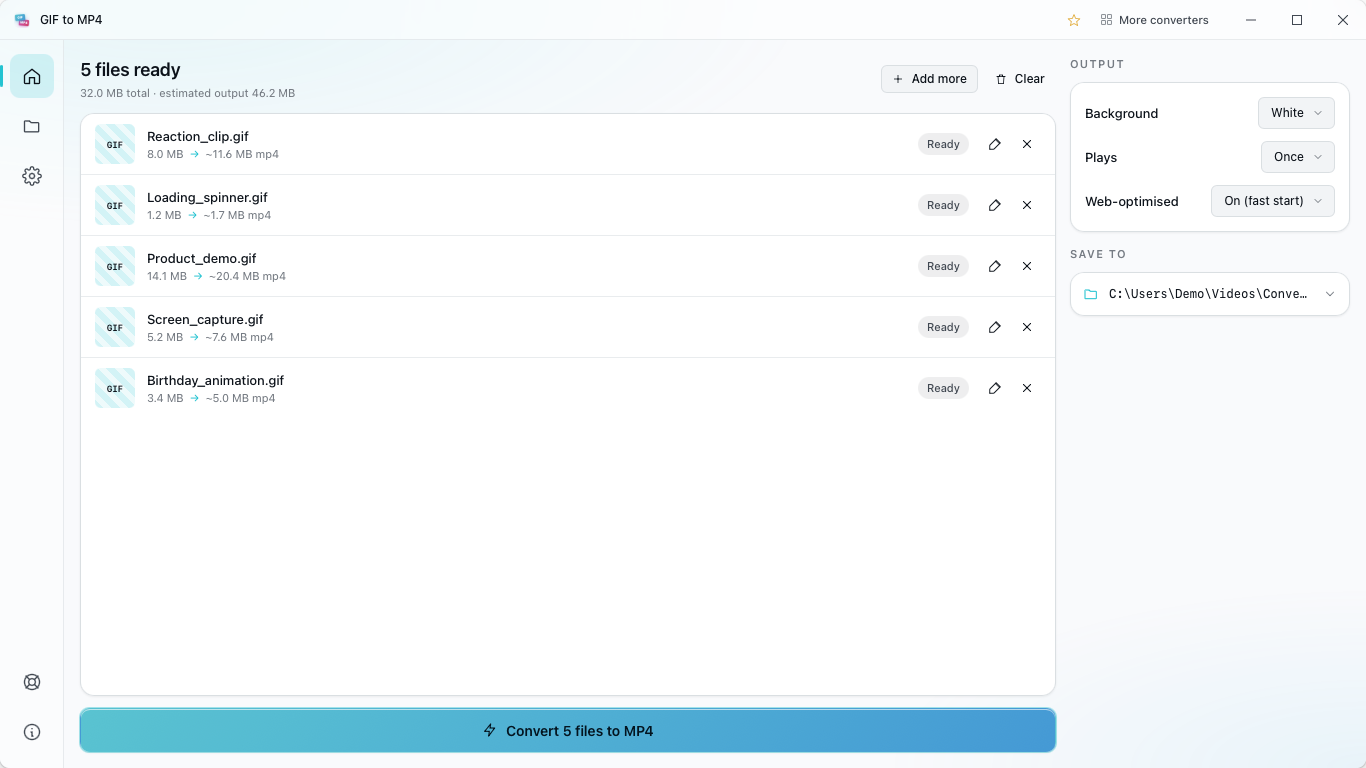
features
what the app does
- Paste from clipboard — Ctrl+V joins the queue (e.g. a Win+Shift+S screenshot lands without saving to disk).
- Batch convert whole folders, sub-folder structure preserved.
- Auto-convert watcher — point the app at a watched folder; converted files appear in your output folder.
- Right-click .gif files in File Explorer — "Convert to MP4" opens the app pre-loaded with your selection.
- Ten UI languages, light + dark themes following the system.
- Offline by design — no telemetry, no account, no user-data exfiltration.
details
GIF to MP4 on your pc
Convert GIF to MP4 on your Windows PC with a simple local tool for turning GIF images into videos.
how it works
GIF to MP4 Converter uses ffmpeg.wasm to process your images on your Windows device. Nothing is sent to a server, and the MP4 video is created on your machine.
paste from clipboard
Press Ctrl+V to add a GIF image from the clipboard straight into the queue. If you capture a screen animation with Win+Shift+S, you can paste it in without saving it first.
batch conversion
Convert whole folders of images in one run. A folder with subfolders keeps the same structure at the output side, so your videos stay organized.
auto-convert watcher
Set a watched folder and an output folder in the Auto-convert page. Leave the app in the Windows system tray, drop a fresh image there, and the converted video appears in the output folder.
right-click in explorer
A native shell extension adds Convert to MP4 to the right-click menu for .gif images in File Explorer. The app opens with your selection already loaded, so you can start faster.
languages & themes
The UI ships in ten languages. Light and dark themes follow your Windows system theme automatically.
offline by design
No telemetry, no account, and no user-data exfiltration. Your images never leave the device.
free & pro
The free version lets you convert GIF to MP4 with no file size or file count limits. Upgrade to Pro with a one-time lifetime purchase to remove ads and unlock batch conversion. No subscriptions or recurring payments.
related
more video & audio converters
mp4 to mp3
mp4 to gif
mov to mp4
wav to mp3
m4a to mp3
mkv to mp4
avi to mp4
webm to mp4